Tired of Explaining Things Over and Over? This Simple Tool Lets You Show Instead
Have you ever spent ages trying to explain a task over email, only for the other person to get it wrong? Or felt stuck repeating the same instructions to a colleague or family member? I’ve been there too. But everything changed when I started using screen recordings in my daily communication. It’s not just for tech teams—it’s a game-changer for anyone who wants to connect clearly, save time, and reduce frustration. Let me show you how this small shift made a big difference. What if you could stop typing long messages and instead send a quick video that does the explaining for you? That’s exactly what screen recording offers—and it’s easier than you think.
The Frustration of Miscommunication in Everyday Tasks
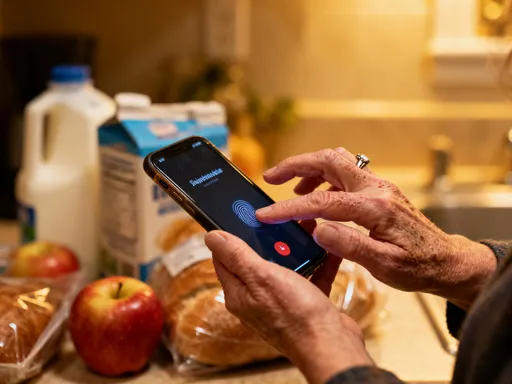
We’ve all been there—typing long messages, making phone calls, or sending step-by-step instructions, only to be misunderstood. I remember spending nearly an hour on the phone with my mom, trying to walk her through downloading her prescription refill app. I said “tap the blue button,” but she tapped the green one. I said “go to Settings,” and she opened her email. By the end, we were both tired and a little frustrated. It wasn’t her fault. It wasn’t mine either. The problem? Words alone just don’t always cut it. When we rely only on text or voice, we miss out on context, timing, and visual cues. And that gap is where confusion grows.
Think about how often this happens in your own life. Maybe you’ve typed a long email to a coworker explaining how to update a shared document, only to find out they did the opposite of what you asked. Or perhaps you’ve tried to help your teenager set up a school project online, repeating yourself three times while they stare blankly at the screen. These moments aren’t just about misunderstanding—they chip away at our energy, our patience, and sometimes even our relationships. We start to feel like we’re not being heard, or worse, that we’re being ignored. But often, the real issue isn’t attention—it’s clarity. And that’s where a simple tech tool can make all the difference.
Miscommunication doesn’t just waste time. It creates stress. It leads to mistakes that need fixing. It can even make people feel less confident—like they’re “bad with technology” or “not smart enough” to follow along. But the truth is, everyone learns differently. Some of us are visual learners. We understand better when we see something happen, not just hear or read about it. That’s why a growing number of people—from teachers to caregivers to team leaders—are turning to screen recordings as a smarter way to communicate. It’s not about replacing conversation. It’s about making communication more effective, more kind, and more human.
Discovering a Better Way: Showing Instead of Telling
The moment everything changed for me was completely ordinary. My friend Sarah had just gotten a new tablet and wanted to join our weekly video call. I’d sent her written steps, then called to talk her through it. Still, she couldn’t find the app. I could hear the frustration in her voice. So on a whim, I said, “Wait—let me send you a quick video.” I opened my screen recording tool, tapped record, and showed exactly how to find the app, open it, and join the call. I added a soft voiceover: “See this icon? That’s the one. Tap it once. Now look for my name here.” I sent the video—less than a minute long. Two minutes later, she was on the call, smiling. “Oh! That was so easy,” she said. “Why didn’t I see it before?”
That’s when it hit me: showing is faster than telling. A 60-second recording replaced 20 minutes of back-and-forth. And more than that—it felt kinder. I wasn’t just giving instructions. I was guiding her, step by step, in a way she could actually follow. There was no pressure, no rush, no repeating myself. She could watch it once, twice, or pause and come back later. It gave her control. It gave me peace of mind. And it strengthened our connection instead of straining it.
Screen recording isn’t just a tech trick. It’s a form of care. Think about it: when you send someone a video of how to do something, you’re saying, “I see you. I know this might be hard. Let me make it easier for you.” It’s patient. It’s thoughtful. And in a world where we’re all rushing, that kind of attention means a lot. You’re not just solving a problem—you’re building trust. Whether it’s helping an aging parent, training a new team member, or guiding a child through homework, showing instead of telling changes the emotional tone of the interaction. It turns frustration into empowerment. And the best part? You don’t need any special skills to do it.
How Screen Recording Transforms Work Communication
At work, clarity saves time, reduces errors, and builds better teamwork. But so much of our communication still happens through long emails, confusing instructions, or last-minute calls. I used to write detailed messages explaining how to update a shared spreadsheet—row by row, cell by cell. But people still made mistakes. Then I started recording my screen. Instead of typing out ten steps, I’d press record, walk through the update, and explain as I went: “First, open the file. Scroll down to the ‘Budget’ tab. Click here to add the new numbers. Don’t forget to save.” I’d send the video, and within minutes, the task was done correctly.
The difference was immediate. Fewer follow-up questions. Less back-and-forth. Less stress for everyone. And because the video included my voice and timing, it carried more context than a written note ever could. Tone matters. In an email, “You forgot to update the numbers” can sound harsh. But in a recorded voiceover, you can say the same thing gently: “Hey, just a quick note—don’t forget to update the numbers in the Budget tab. I’ve included a quick clip to remind you how.” It feels supportive, not critical.
Screen recordings are especially powerful in remote or hybrid teams. Not everyone works the same hours. Some team members are in different time zones. Instead of scheduling a call that might not suit everyone, I can record a quick walkthrough in the morning and let my colleague watch it when they start their day. That’s asynchronous communication at its best—flexible, respectful, and efficient. It also creates a record. If someone joins the team later, they can watch the same video instead of me explaining it all over again. It turns one-time effort into lasting value.
Managers can use screen recordings for feedback, training, or onboarding. Imagine welcoming a new employee with a series of short videos: how to log in, how to submit expenses, how to use the project management tool. It’s more engaging than a manual. It’s more personal than a slideshow. And it shows that you value their time and learning style. Even simple tasks—like approving a form or updating a client file—become clearer when they’re shown, not just described. Over time, teams that use screen recordings report fewer misunderstandings, faster learning, and stronger collaboration. It’s not magic. It’s just better communication.
Strengthening Family Connections Across Distances
Technology should bring people closer, not create distance. But for many families, tech can feel like a barrier—especially across generations. I’ve watched my sister try to teach our dad how to use his smartphone, both of them getting more frustrated with each call. “Dad, no—not that button!” she’d say, voice rising. He’d sigh and say, “I don’t know why this is so hard.” But it’s not hard because he’s not capable. It’s hard because talking about a screen over the phone is confusing. You can’t see what the other person sees.
That’s where screen recordings come in. Now, when my dad needs help, I don’t call. I record. I make a short video showing exactly how to do what he needs—whether it’s checking his email, transferring photos, or ordering groceries online. I keep it simple. I speak slowly. I point things out as I go. Then I send it through a messaging app he already uses. He can watch it when he’s ready, pause it if he needs to, and rewatch it as many times as he wants. No pressure. No rushing. And no feeling like he’s bothering anyone.
These small videos have done more than teach him new skills. They’ve reduced his anxiety around technology. He feels more confident. He’s even started trying new things on his own. And for me, it’s a way to care for him, even when I’m miles away. It’s not just about solving a tech problem. It’s about saying, “I’m here for you. I want to make life easier for you.” That’s love in action. And it works with other family members too. I’ve sent my niece a video showing how to apply for a college scholarship online. I’ve helped my cousin set up a family photo album in the cloud. Each one is a tiny act of connection—a digital hug that says, “I’ve got your back.”
For grandparents, parents, or anyone helping a loved one navigate daily life, screen recordings are a gift. They preserve patience. They protect dignity. And they turn what could be a stressful conversation into a quiet, empowering moment. You’re not doing the task for them. You’re giving them the tools to do it themselves. That’s the kind of support that lasts.
Making Learning and Teaching Effortless
Teaching is part of life—whether you’re a parent, a mentor, a team leader, or just someone who likes to help. But teaching the same thing over and over can be exhausting. I used to explain how to fill out a school permission form to my daughter’s classmates’ parents every year. Same steps. Same questions. Same time. Then I recorded a short video once and shared it with the group. The next year, I reused it. And the year after that. No repetition. No fatigue. Just clarity.
Screen recordings turn one-time explanations into reusable resources. Imagine creating a “How to Print from Your iPad” video for your book club members. Or a “How to Use the Shared Calendar” guide for your volunteer team. Once it’s made, you can share it again and again. It’s like building a personal knowledge library. Over time, your family or team becomes more independent. They know where to go when they have a question. They don’t need to interrupt your day. And you don’t have to start from scratch every time.
This is especially helpful for children. My son once struggled with a math homework problem involving graphs. I sat with him, showed him how to plot the points, and explained each step. Later, I realized—I could record that. So I made a short clip, walking through the same problem. I kept it simple: “First, find the x-axis. Then move up to the right number…” He watched it when he had similar problems later. His confidence grew. He didn’t feel stuck. And I didn’t have to be right there every time.
Teachers are using this approach in classrooms, and parents can too. Whether it’s showing how to log in to a learning platform, submit an assignment, or use a research website, a quick video makes learning more accessible. It respects different learning paces. It reduces anxiety. And it empowers kids to take charge of their own learning. The same goes for coaching a junior colleague or mentoring a new volunteer. A well-made screen recording isn’t just informative—it’s encouraging. It says, “You can do this. Here’s how.” And that belief can change everything.
Getting Started: Simple Tools and Easy Habits
Here’s the best part: you don’t need special equipment or expensive software. Most devices already have built-in screen recording tools. On iPhones and iPads, you can enable screen recording in the Control Center. Just swipe down, tap the record button, and you’re on. Android phones have similar features, often under “Quick Settings.” For laptops, Windows has a built-in game bar that can record your screen (yes, even for non-gaming tasks), and Mac users can use QuickTime Player or the Shift-Command-5 shortcut. These tools are free, easy to find, and require no setup.
When you’re ready to record, keep a few simple tips in mind. First, close any tabs or apps you don’t need. You don’t want personal emails or messages showing up by accident. Second, speak clearly but naturally. Pretend you’re explaining it to a friend—because you are. You don’t need a script, but a quick mental outline helps: “First, I’ll show how to open the app. Then I’ll click here. Then I’ll save.” Keep your videos short—aim for under two minutes. Attention spans are limited, and shorter clips are easier to follow.
Add a voiceover if you can. Your voice brings warmth and clarity. If you’re nervous, that’s okay. You don’t have to be perfect. A small stumble or “um” makes it feel real. After recording, watch it once to make sure it makes sense. Then share it through a platform the other person already uses—email, text, WhatsApp, or a shared drive. Avoid sending large files directly; instead, use cloud links if needed. And always ask if they’d like help after watching. A simple “Let me know if you have questions” keeps the door open.
Start small. Record one thing this week—maybe how to access your online bank account, or how to change the font in a document. Notice how it feels. Notice the response. You’ll likely find that the other person gets it faster, and you feel more satisfied. Over time, this simple habit becomes second nature. You’ll reach for recording before typing another long message. And you’ll wonder how you ever lived without it.
A Small Change That Changes Everything
This isn’t about becoming a tech expert. It’s about using a simple tool to live with more ease, more connection, and less stress. Screen recording has changed the way I communicate—with my family, my colleagues, my friends. I spend less time repeating myself. I feel more patient. And I’ve seen how a 60-second video can lift someone’s confidence, solve a problem, or even bring a smile to their face.
In a world that often feels rushed and overwhelming, this small act of showing instead of telling is a form of kindness. It says, “I value your time. I respect your learning. I’m here to help.” It’s not flashy. It’s not complicated. But it’s powerful. And it’s available to all of us.
So here’s my invitation: try it this week. Pick one thing you’ve explained more than once. Record a short video showing how to do it. Send it to the person who needs it. Watch what happens. You might be surprised at how much time you save, how much clearer things become, and how much more connected you feel. Because sometimes, the simplest tools bring the biggest changes. And in the end, better communication isn’t just about getting things done. It’s about feeling heard, seen, and supported—and helping others do the same.